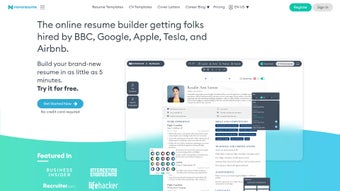

Download Novoresume – AI‑Powered Resume Builder, Free Templates & Secure Updates
Why Novoresume Stands Out in the Resume‑Builder Market
In today’s competitive job market, a well‑crafted resume can be the difference between landing an interview or getting lost in the stack. Novoresume tackles this challenge by blending artificial intelligence, industry‑specific templates, and an intuitive drag‑and‑drop interface into a single, secure online tool. Whether you are a fresh graduate searching for your first role, a mid‑level professional eyeing a promotion, or a senior executive aiming for a board seat, Novoresume adapts to your career stage and industry demands.
The platform’s AI engine analyses the content you input and provides real‑time feedback on wording, keyword density, and layout, ensuring that each section aligns with applicant tracking systems (ATS) and recruiter expectations. Moreover, Novoresume goes beyond a simple resume generator; it also offers cover‑letter creation, a career blog packed with actionable advice, and seamless export options for PDF or DOCX files. Users can download their polished documents instantly, keep them updated with a single click, and share them securely via a unique link.
The result is a fast, free‑to‑try (with premium upgrades) solution that removes the guesswork from CV writing while maintaining a professional aesthetic that impresses hiring managers across Windows, Mac, Android, and iOS environments.
Feature‑Rich Capabilities That Empower Every Job Seeker
Novoresume’s value proposition lies in a deep set of features designed to streamline the entire job‑application workflow. Below is a curated list of the most impactful capabilities, each engineered to save time, boost relevance, and enhance visual appeal.
- AI‑Driven Content Analyzer: Provides instant suggestions on phrasing, action verbs, and industry‑specific keywords to improve ATS compatibility.
- Industry‑Specific Templates: Over 30 professionally designed layouts tailored to sectors such as tech, healthcare, finance, creative arts, and education.
- Dynamic Cover‑Letter Builder: Generates matching cover letters that inherit the same visual style and tone as your resume.
- Real‑Time Collaboration: Share a secure edit link with mentors or career coaches for live feedback without exposing personal data.
- One‑Click Export & Update: Download PDFs or DOCX files instantly and push updates to previously downloaded versions with a simple “Refresh” button.
- Career Blog & Resource Center: Access articles on interview prep, salary negotiation, and personal branding, all curated by HR experts.
- Multi‑Device Sync: Works flawlessly on Windows, macOS, Android, and iOS, allowing you to edit your documents from any device.
- Secure Cloud Storage: All user data is encrypted at rest and in transit, complying with GDPR and ISO‑27001 standards.
- Customizable Design Elements: Adjust fonts, colors, and spacing to reflect personal branding while maintaining a clean, recruiter‑friendly layout.
- Free Tier with Premium Upgrades: The free version provides essential tools, while paid plans unlock advanced analytics, unlimited templates, and priority support.
By consolidating these capabilities into a single platform, Novoresume eliminates the need for multiple disjointed apps or costly design services. The result is a streamlined workflow that lets you focus on what truly matters—showcasing your achievements and securing that coveted interview.
Simple Installation, Intuitive Usage, and Broad Compatibility
Unlike traditional desktop software that requires cumbersome installations, Novoresume is a web‑based application that runs in any modern browser. The onboarding process is deliberately minimalistic: after navigating to Novoresume.com, click “Get Started,” create a free account using your email or social login, and you are immediately greeted with a step‑by‑step wizard that guides you through selecting a template, filling out personal details, and adding work experience. The wizard leverages the AI engine to suggest section order and phrasing, making the first draft creation possible in under ten minutes.
Installation Steps (Web Version)
- Open your preferred browser (Chrome, Firefox, Safari, Edge).
- Visit
https://novoresume.comand click “Sign Up.” - Verify your email address via the confirmation link.
- Choose a template that matches your industry and career level.
- Start entering your information; the AI will provide live feedback.
- When satisfied, click “Download” to export your resume as PDF or DOCX.
For users who prefer an offline experience, Novoresume also offers a lightweight desktop wrapper for Windows and macOS, which can be downloaded from the “Resources” page. The desktop app syncs with the cloud, ensuring that any changes made offline are automatically merged once an internet connection is restored.
Supported Operating Systems: Windows 10/11, macOS 10.15+ (Catalina and later), Android 8.0+, iOS 13+, as well as any device capable of running a modern web browser. The responsive design guarantees a consistent experience whether you are on a laptop, tablet, or smartphone.
Security is a core focus. All data transmissions use TLS 1.3 encryption, and the platform complies with GDPR, giving European users confidence that personal information is handled responsibly. Regular updates are rolled out automatically, ensuring that you always have access to the latest AI models and template designs without manual intervention.
Pros, Cons, and Frequently Asked Questions
Pros
- AI‑driven feedback improves ATS compatibility and reduces manual editing.
- Wide selection of industry‑specific, professionally designed templates.
- Seamless multi‑device sync across Windows, Mac, Android, and iOS.
- Secure cloud storage with GDPR and ISO‑27001 compliance.
- Free tier available; premium plans add advanced analytics and unlimited templates.
Cons
- Full template library and AI analytics require a paid subscription.
- Limited offline functionality compared to dedicated desktop design software.
- Advanced customization (e.g., custom graphics) may be restricted to premium users.
Frequently Asked Questions
Is Novoresume really free to use?
Novoresume offers a robust free tier that includes basic templates, AI suggestions, and PDF export. Premium features—such as unlimited template access, advanced analytics, and priority support—are available through a monthly or annual subscription.
Can I download my resume in both PDF and DOCX formats?
Yes. After finalizing your document, the “Download” button lets you choose either PDF for a ready‑to‑send version or DOCX for further editing in Microsoft Word or Google Docs.
How does the AI feedback work?
The AI engine scans your content for industry‑relevant keywords, action verbs, and readability metrics. It then highlights weak areas and offers specific suggestions—such as swapping “responsible for” with “managed” or adding quantifiable results—to boost ATS ranking and recruiter appeal.
Is my personal data safe on Novoresume?
Novoresume adheres to strict security standards, encrypting data both in transit (TLS 1.3) and at rest. The platform is GDPR‑compliant, and regular security audits ensure that your personal and professional information remains protected.
Can I collaborate with a mentor or recruiter on my resume?
Absolutely. Novoresume provides a secure shareable link that grants view‑only or edit permissions, allowing mentors, career coaches, or recruiters to give real‑time feedback without exposing your login credentials.
Final Verdict and How to Get Started
Novoresume combines the convenience of a free, web‑based resume builder with the sophistication of AI‑driven content optimization. Its extensive template library, cross‑platform compatibility, and secure cloud infrastructure make it a compelling choice for anyone serious about advancing their career. While premium subscriptions unlock the full potential of the platform, even the free tier provides enough power to craft a polished, ATS‑friendly resume in minutes.
If you’re ready to replace generic Word documents with a professionally designed, data‑backed resume, download Novoresume today. Start with the free plan, test the AI suggestions, and consider upgrading once you see the impact on interview callbacks. Your next career move deserves a resume that works as hard as you do—let Novoresume be the tool that gets you there.



.png)



